Works with the systemsyou already run.
Doctors, schedules and patients are read from your HMS. Writing bookings and visits back is in pilot, enabled one system at a time.
01SOURCE SYSTEMS
USE WHAT WORKS read · write (pilot)
FHIR R4 · patients, practitioners, schedules, appointments
- OpenMRSread · write (pilot)
FHIR R4 / OpenMRS REST · patients, providers, appointments
- Any FHIR R4 serverread · write (pilot)
FHIR R4 · patients, practitioners, appointments
- Databasedirect connectionYour REST APIcustom mappingCSV importscheduled
02OPERATIONS LAYER
UNIFY · ORCHESTRATE · DELIVER03PATIENT CHANNELS
MEET PEOPLE WHERE THEY ARE- Kioskself check-inSelf check-in · token print
- AI phone callsvoiceBooks by voice, 24/7
- WhatsApptemplatesReminders · two-way replies
- SMStemplatesAlerts · approved templates
- Phone trackerlive positionLive queue position, no app
- TV display boardnow servingNow serving · department queues
What we read,what we write.
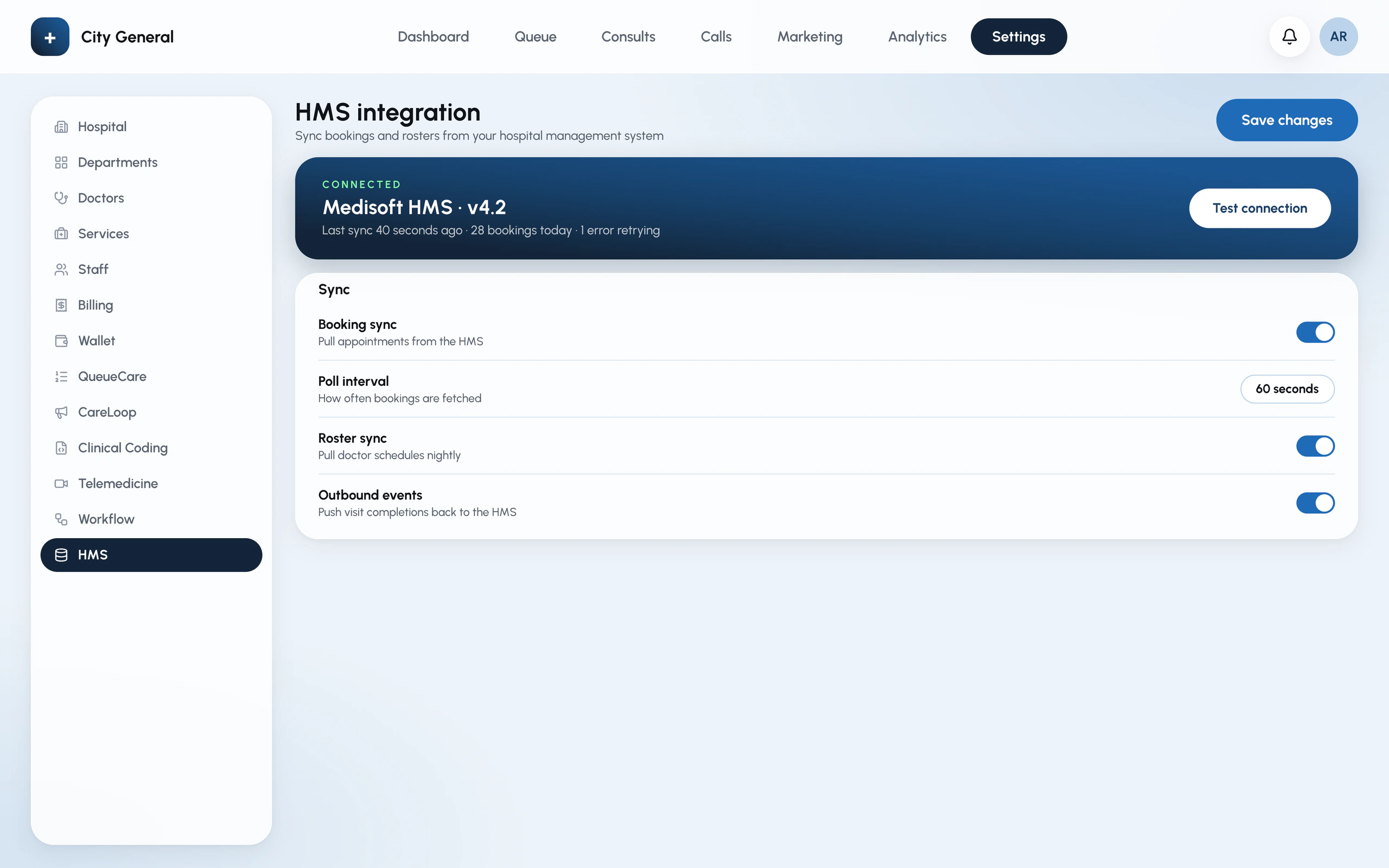
Connectedfrom Settings.
Choose the system, test the connection, map doctors and departments, and pick what syncs.
For yourIT team.
In an isolated tenant per hospital. Each hospital's data is separated at the database level.
No. A small connector runs inside your network and makes outbound calls only.
The kiosk keeps issuing tokens and the queue keeps running; bookings sync when it returns.
Yes — every pilot starts read-only. Write-back is itself in pilot, and is switched on per system only after your IT team has verified it.
Sarvam AI for speech and translation, and Google Cloud's enterprise AI models, with OpenAI and Anthropic models as fallbacks. See Trust for the full list.

Connect itin the pilot.
Bring your HMS details to the walkthrough and we'll map it live.
- 30-minute walkthrough
- On your own HMS data flow
- No commitment
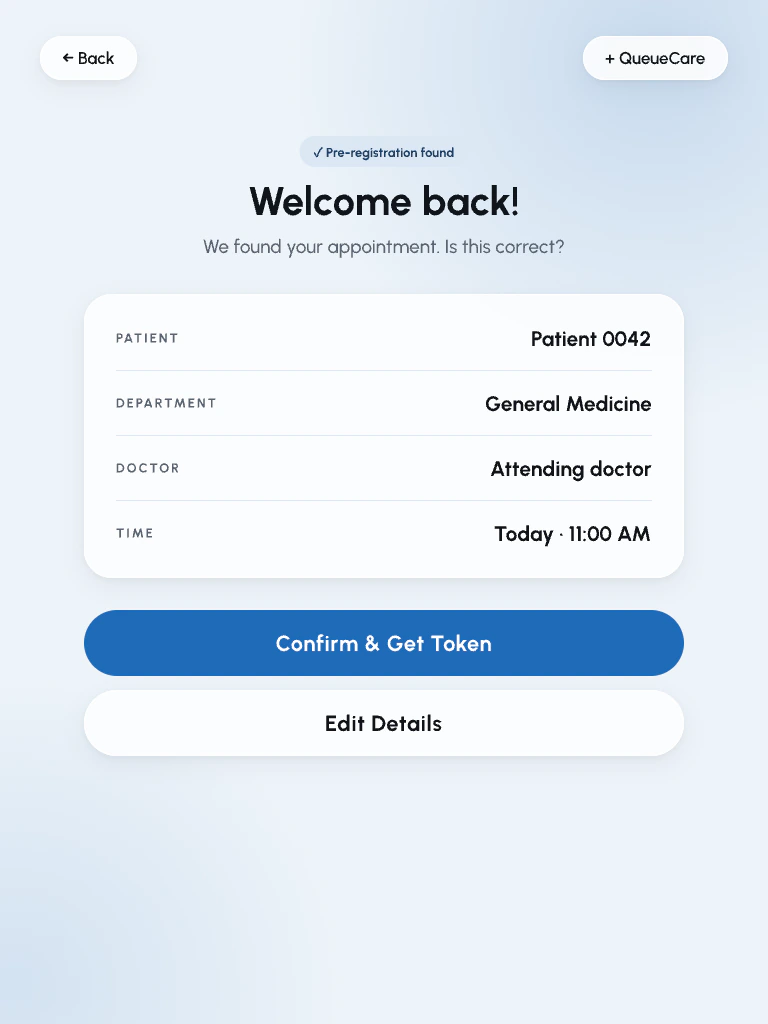
Kiosk check-in 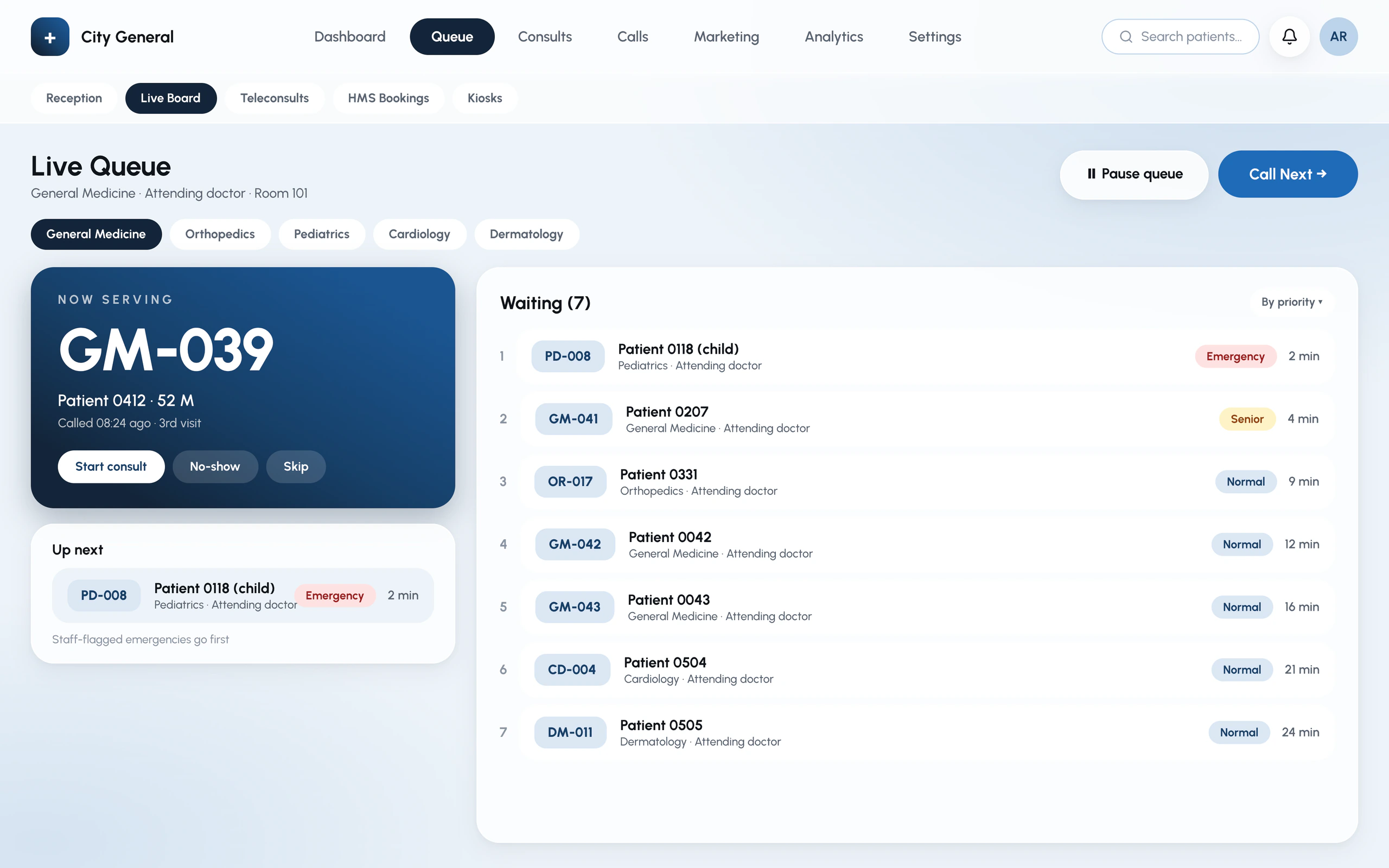
Live queue 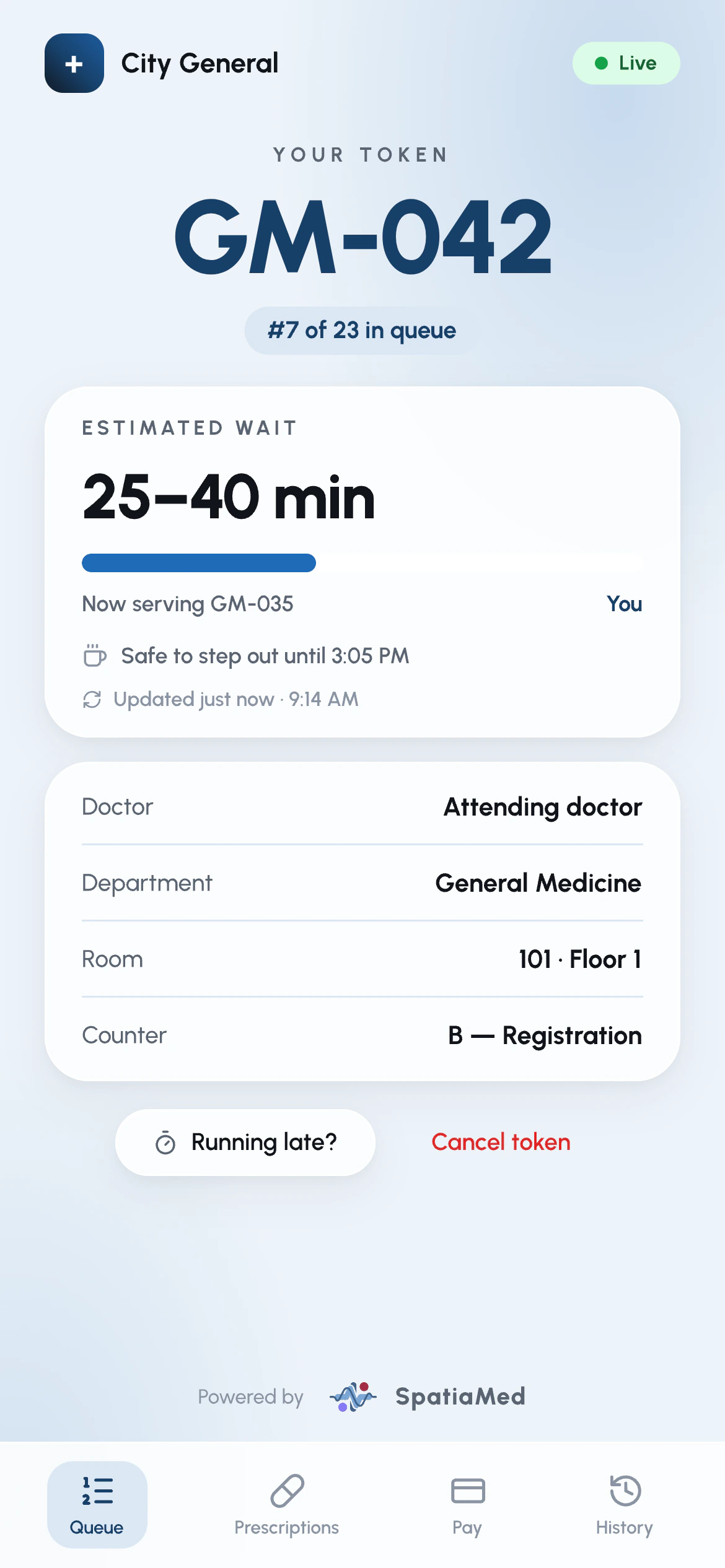
Patient tracker